
Technology is amazing. Can you believe just 20 years ago, no one had a smartphone? Now, smartphones and computers are everywhere and business feels like it would be paralyzed without them.
There’s another piece of technology that I use to do my business. Professors use it to hold teaching sessions. CEO’s depend on it for teleconference meetings. But did you know that you could set up an entire office, without leaving the comfort of your existing one? All you need is a phone and a computer. It’s called collaborative screen sharing.
When I first started selling office furniture 41 years ago, customers would come to a showroom or look through a catalog to choose what they wanted. Now at Alliance Corporate Services, it’s a little more elaborate, but believe it or not, A LOT LESS time consuming.
Collaborative screen sharing is basically a teleconference or web conference on your computer where information and images are viewed by all participants and changes or decisions can be made in real time.
I want to take you through a quick collaborative screen sharing session example, so you understand the process and how easy and effective it is in designing and furnishing a new office. There are five basic steps in collaborative screen sharing:
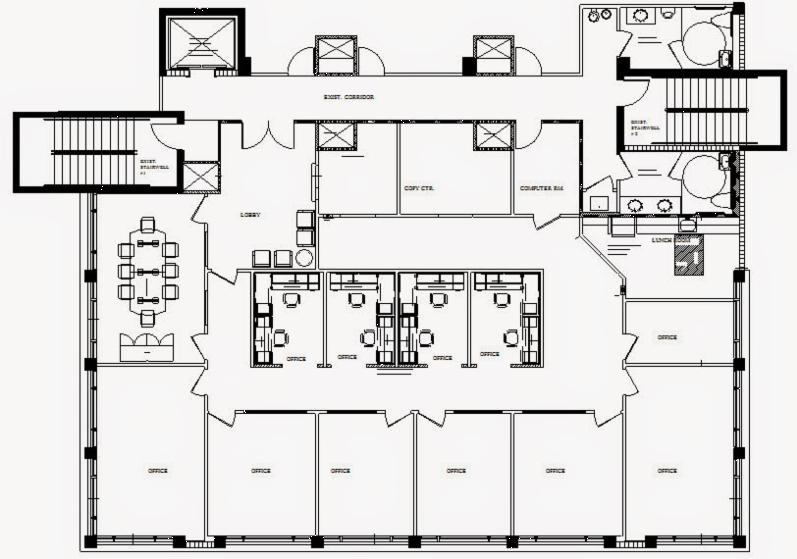
- OFFICE DIMENSIONS – First things first, knowing the dimensions of your office are a must. Typically your building’s facilities manager keeps an AutoCAD file with exact measurements of every room. The file with dimensions can be emailed to me. If for some reason, there’s no office floor plan, then we send someone to measure the space. Once the measurements are complete, the collaborative screen sharing process begins.
- SCREEN SHARING – The next step in setting up a new office is the screen sharing process and for that, you must have Internet access. Once you’re logged into your email, then I send you an invitation to a web conference. All you do is click on that link and our screen sharing session begins. Here’s a picture of an office I recently designed and furnished for attorney Judson Cohen of the firm Weinstein and Cohen. Judson has three offices, but the one he needed help with was in Miami Lakes. It took us just 90 minutes to complete from start to finish, and he did it without leaving his desk!
 DESIGN LAYOUT– How did we do it? Once we received the AutoCAD file of his office, we began the collaborative screen sharing process with Judson. First, we sketched out the layout of the lobby on the computer. Then, we designed the conference room; its shape provided us with what furniture to use in there. We ended with the interior offices or cubicle area.
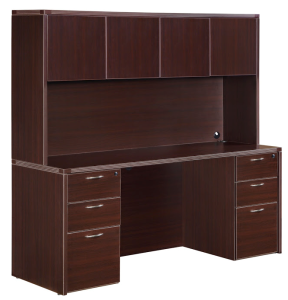 PRODUCT SELECTION – Once the design and layout are made, the most interactive part of the session begins. During the product selection phase, a client tells me their budget. I navigate them to and
 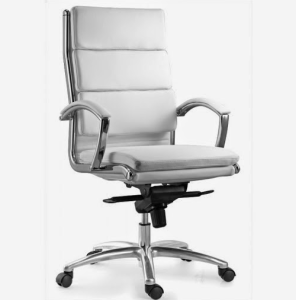 show them my web page gallery. Based on how much he or she wants to spend, I create a private web album with their office furniture selection. During our session, he or she decides on the furniture style and shape, the color combination, the fabric and any customized items. I add the product, in 2D or 3D to the room sketch, and then the design and selection process are complete. Here are some of the products Judson and his business partner chose for their office.
- OFFICE DELIVERY & SETUP – Collaborative screen sharing is beneficial to busy business owners because it allows the client to participate and provide input during the entire office furnishing process without wasting time.
Once the screen sharing and product selection processes are complete, delivery is made and the office is setup exactly the way it was designed and laid out. Small offices can take an hour to design. Large offices can be done in two to three hours.
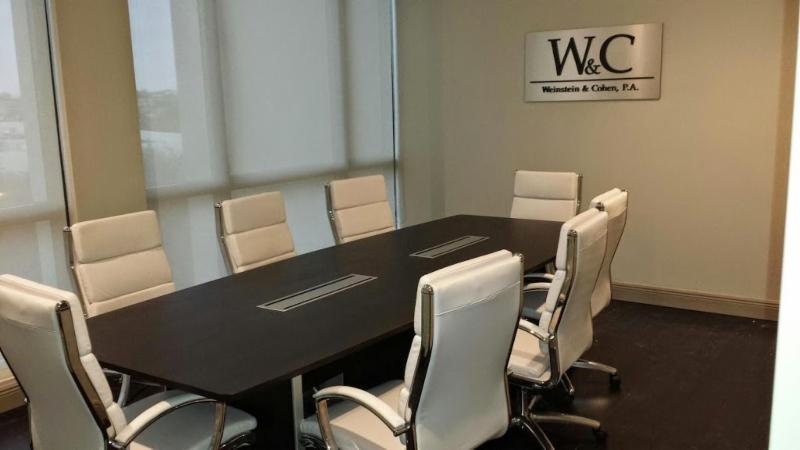
“Steve Bass and his crew made selecting, buying and installing furniture for our new law firm effortless. In a word, they are awesome,” said Judson Cohen.
So now that you know how simple the process of collaborative screen sharing is, why would you want to furnish an office any other way? That’s what our loyal clients tell us.